
rotAIRmonitorA32
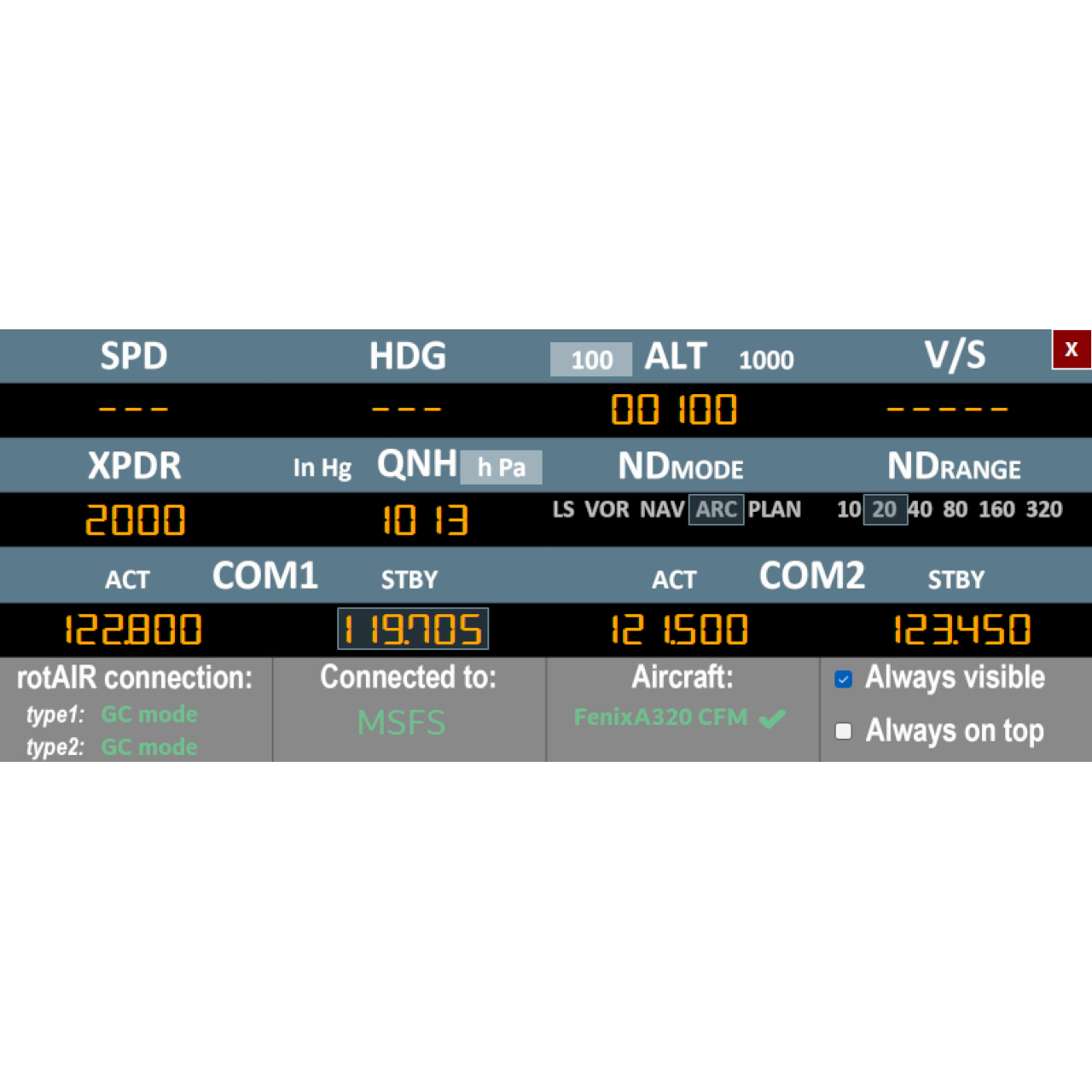
Dedicated link between rotAIR GC modules and the Fenix A320 for MSFS, with automatic mapping and real-time control of FCU, EFIS, XPDR and COM radios.
Plug & Fly operation, no external addons required.
0,00 €
rotAIRmonitorA32 – Dedicated Companion Software for Fenix A320 (MSFS)
rotAIRmonitorA32 is a dedicated companion application designed exclusively for the Fenix A320 in Microsoft Flight Simulator, providing a true Plug & Fly experience when using rotAIR hardware with Airbus logic.
The application creates a direct bridge between rotAIR equipped with the A32 front panel accessory and the Fenix A320 through SimConnect, eliminating the need for third-party tools such as FSUIPC, SPAD.neXt, or Axis & Ohs. Simply connect your rotAIR modules, launch the app, and start flying.
rotAIRmonitorA32 offers automatic mapping with zero manual configuration, ensuring instant synchronization and real-time response between your hardware and the aircraft. All parameters controlled by rotAIR — including FCU, EFIS, COM1, COM2 and related Airbus A320 systems — are continuously displayed on screen, providing clear visual feedback while you interact with the aircraft.
Built-in acceleration logic for HDG, SPD, and COM1/COM2 frequency decimals enables smooth and precise adjustments that closely replicate real Airbus avionics behavior.
The interface is lightweight, fast, and unobtrusive, featuring auto-hide and always-on-top modes to integrate seamlessly into any cockpit setup. Combined with the rotAIR A32 Front Panel, rotAIRmonitorA32 turns rotAIR into a compact and fully integrated A320 FCU & EFIS hardware solution.
What is rotAIRmonitorA32?
rotAIRmonitorA32 is a dedicated companion app for Microsoft Flight Simulator that connects the rotAIR equipped with the A32 front panel directly to the Fenix A320, providing automatic mapping and real-time synchronization without external addons.
Which aircraft is supported?
rotAIRmonitorA32 works exclusively with the Fenix A320. It is not intended for other A320 models or default MSFS aircraft.
Do I need to install anything inside MSFS?
Yes. rotAIRmonitor32 uses the same SFS_Link module as the standard rotAIRmonitor.
- If you already use rotAIRmonitor, you only need to update SFS_Link.
- If not, you must install it once in the MSFS Community folder.
Only one SFS_Link installation is ever required.
Does rotAIRmonitor32 show live values while I turn the encoders?
Yes. All parameters controlled by rotAIR are displayed live within the app, providing immediate visual feedback while you interact with the FCU, EFIS and radios.
Does it include acceleration logic?
Yes. Acceleration is built in for HDG, SPD, and COM1/COM2 decimal tuning.
Can I move or hide the window?
Yes. The window can be freely positioned, set to always-on-top, or automatically hidden after a few seconds.
Is rotAIRmonitor32 compatible with X-Plane or Prepar3D?
No. rotAIRmonitor32 is designed exclusively for Microsoft Flight Simulator (MSFS 2020 and MSFS 2024).
Flight Simulators
- Microsoft Flight Simulator 2020
- Microsoft Flight Simulator 2024
Aircraft
- Fenix A320 only
Operating Systems
- Windows 10 (64-bit)
- Windows 11 (64-bit)
Hardware
- rotAIR Type-1 GC
- rotAIR Type-2 GC
(ANA versions not supported)
Requirements
- SFS_Link module installed in MSFS Community folder
- .NET Desktop Runtime (Windows will prompt installation if required)
Two free USB ports (only when using rotAIR hardware)