rotAIR A32 front panel
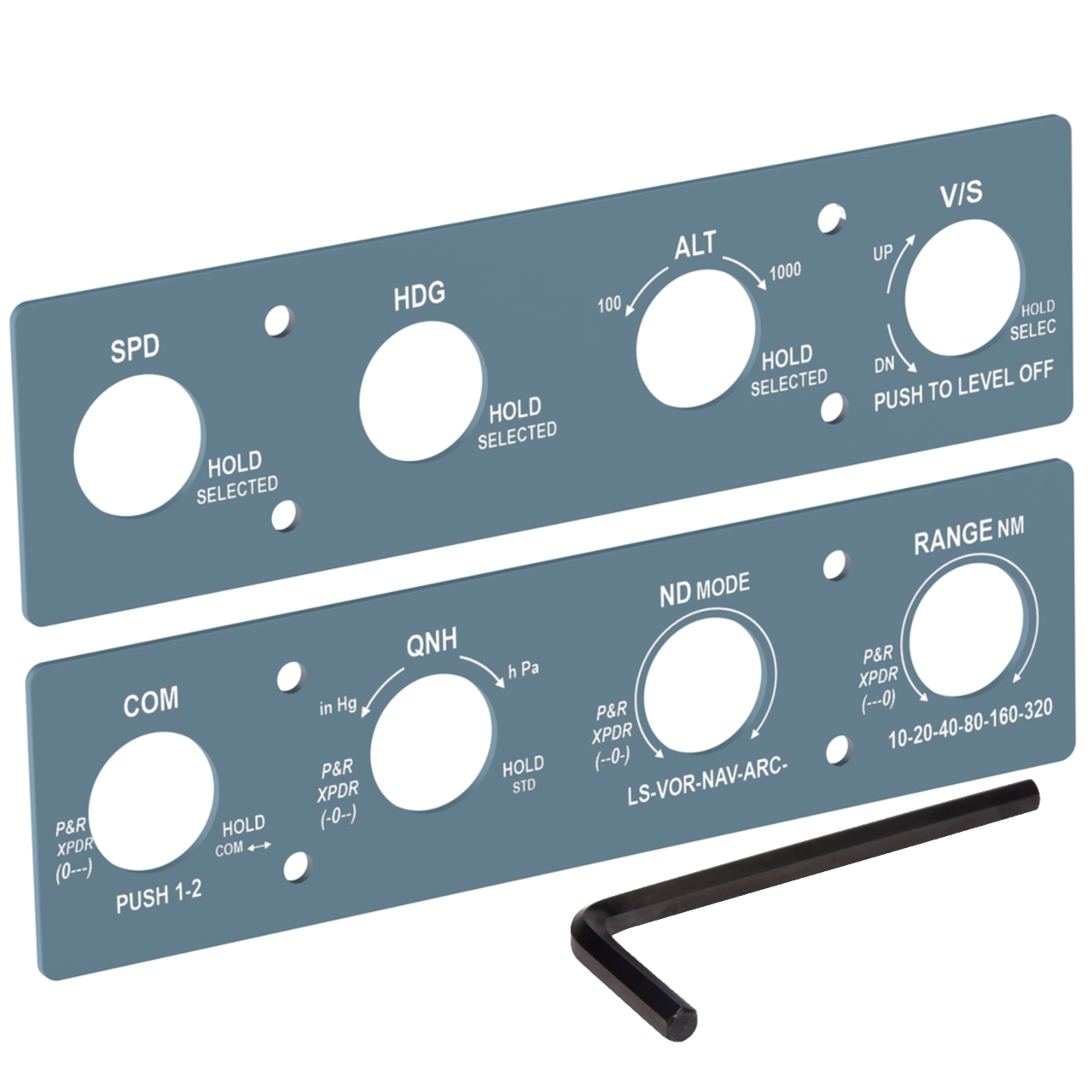
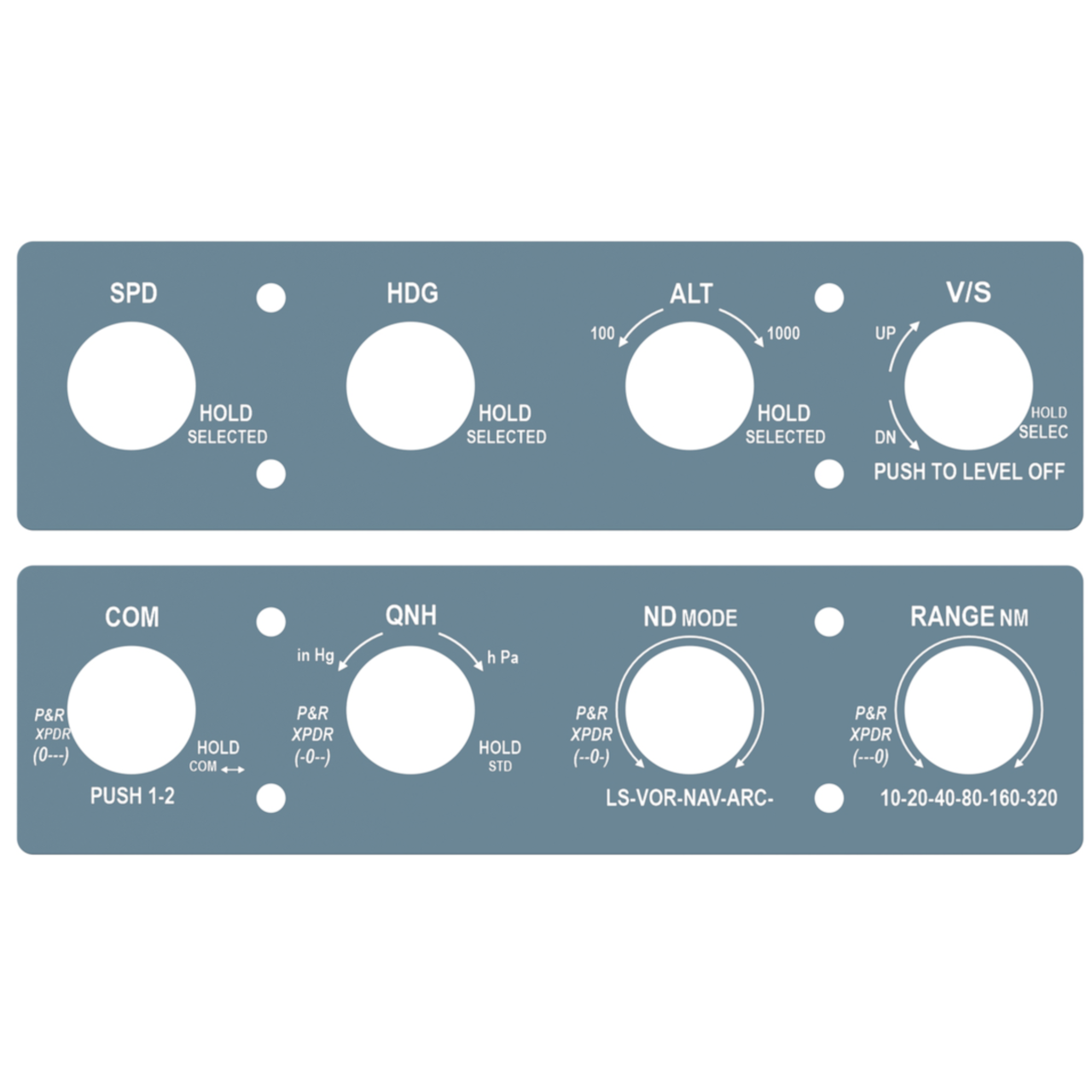
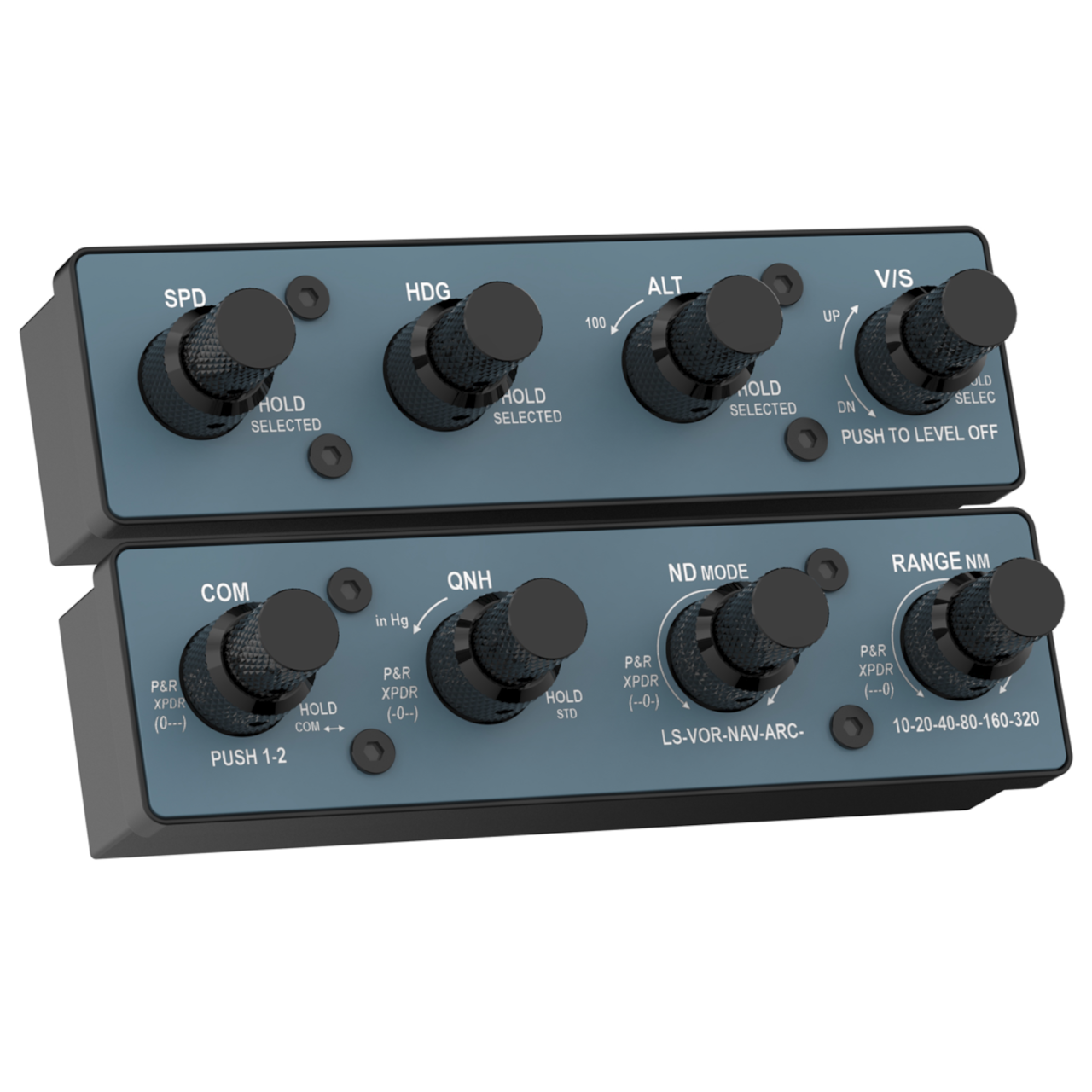
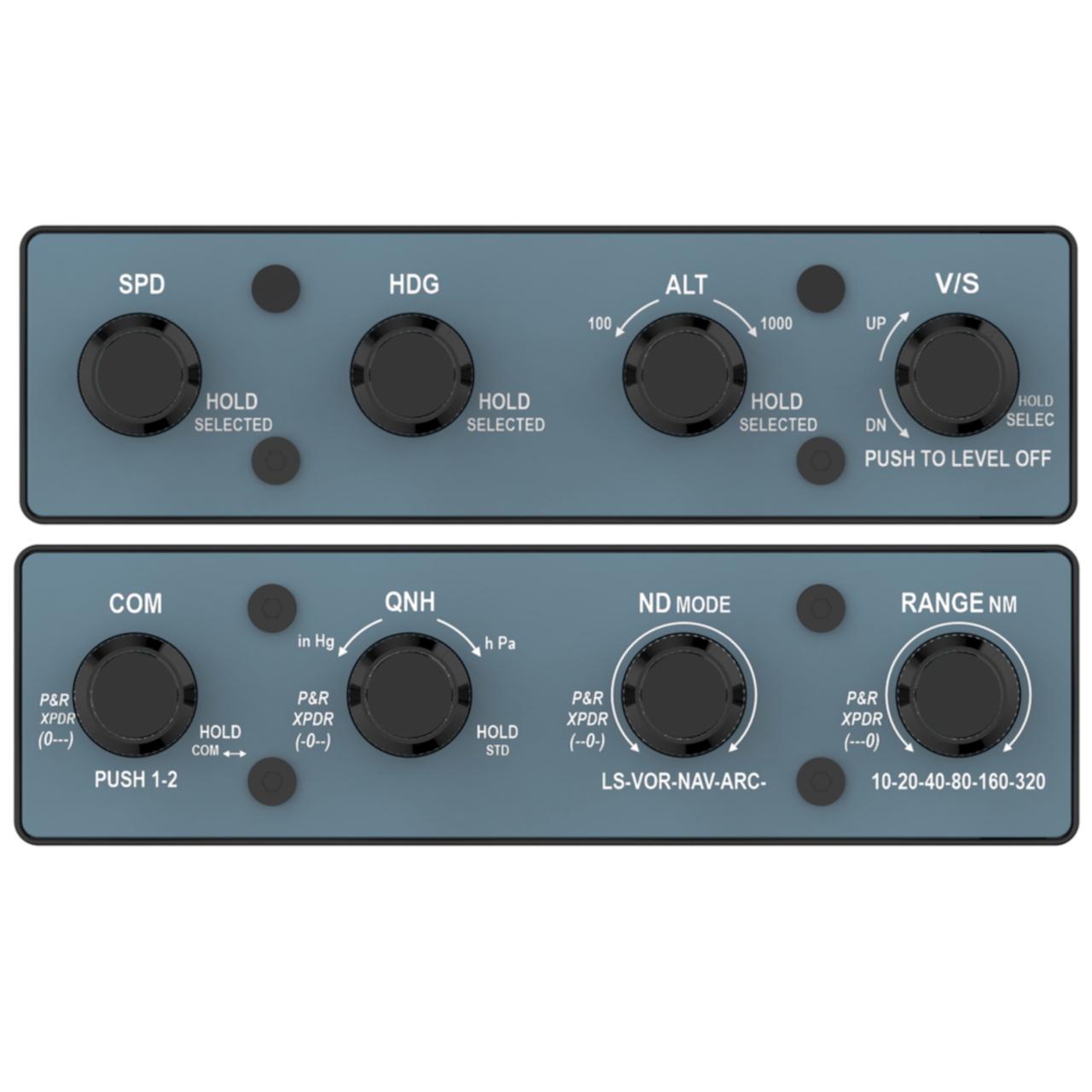
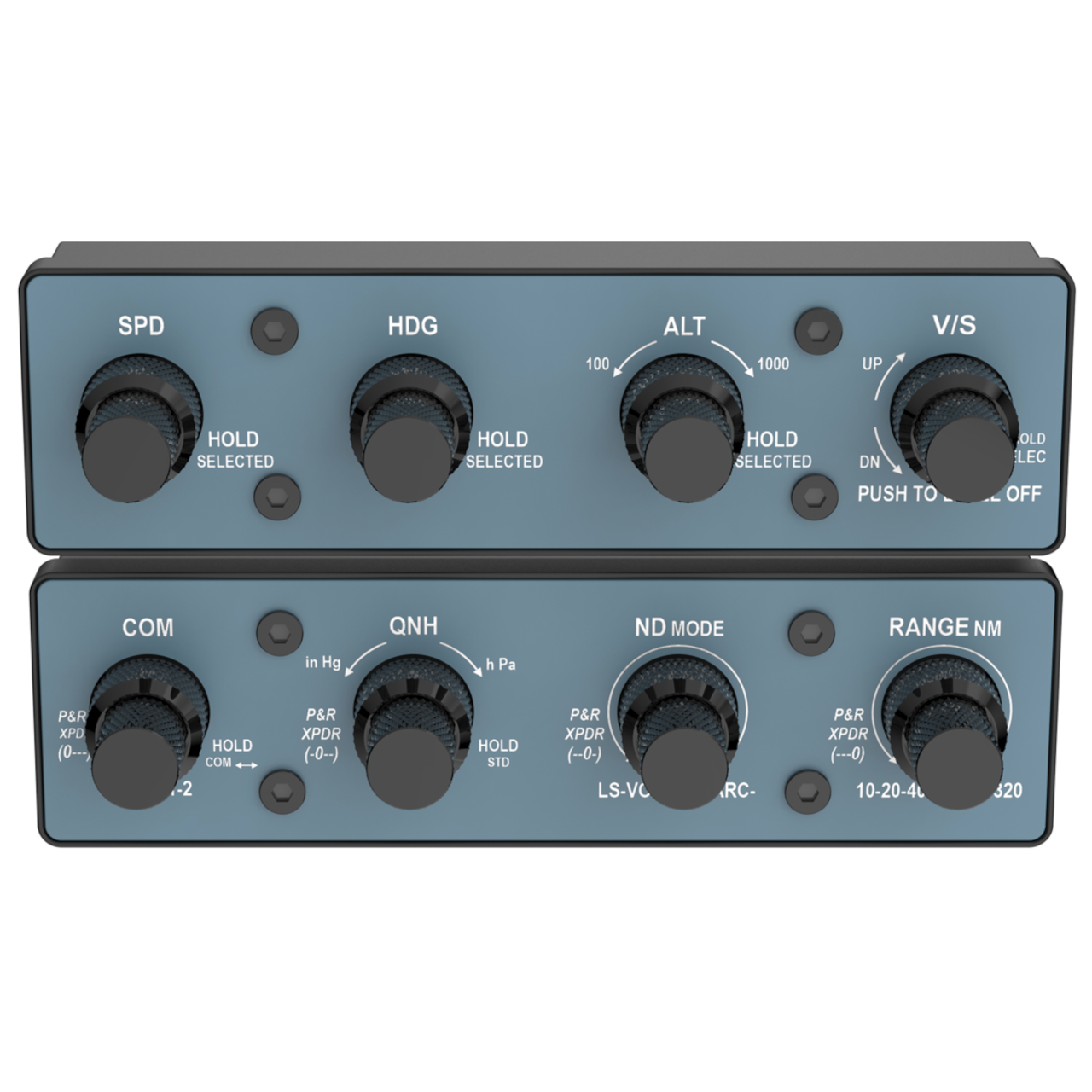
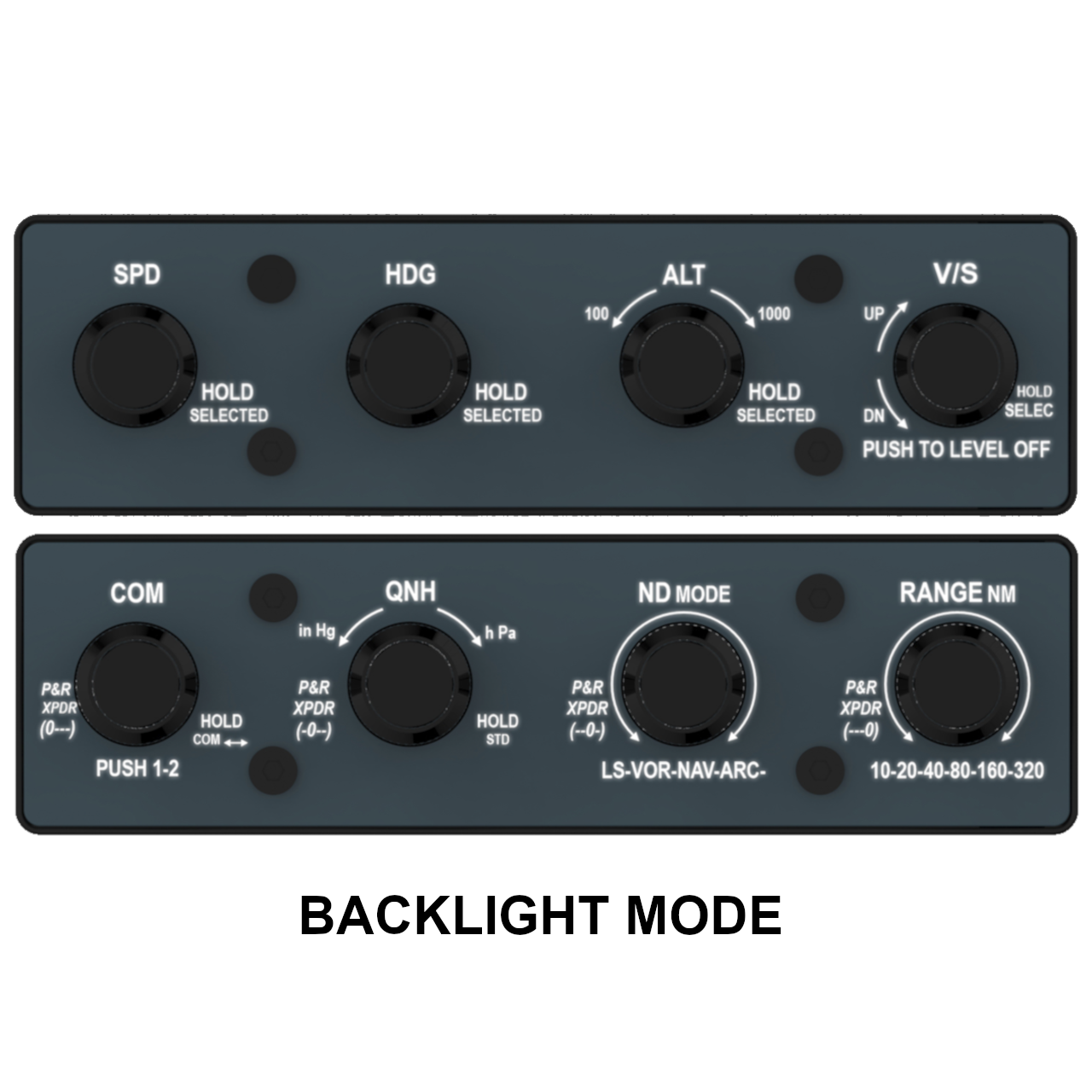
Printed, backlit-capable front panel accessory designed to transform the default rotAIR into an Airbus A320 FCU, EFIS, COM & XPDR hardware configuration for flight simulation.
In Stock
20,00 €
Airbus A320 Conversion Front Panel Accessory for rotAIR Modules.
The rotAIR Front A32 Panel is a rigid, printed, backlit-capable front panel designed to convert the default General Aviation (GA) layout of the rotAIR into a realistic Airbus A320 configuration, following the EFIS, FCU, COM and XPDR logic and layout of the real aircraft.
All legends and symbols remain fully backlit, ensuring perfect readability in any lighting condition, while their position and labeling match the real Airbus A320 EFIS & FCU hardware philosophy used in professional and home cockpits.
The conversion process is simple and fast: users can replace the original front panels with the A320 version in less than 2 minutes, with no tools or special skills required.
A320 integration – your way
The rotAIR with the A32 Front Panel can be used in different ways, depending on your simulator and workflow:
- Advanced integration with Fenix A320 (MSFS)
SimFlight Services provides rotAIRmonitor32, a dedicated plugin that acts as a bridge between rotAIR and the Fenix A320, enabling:- Automatic mapping
- No manual configuration
- Real-time monitoring of all rotary inputs (optional and hideable)
- Open configuration for other simulators or A320 models
rotAIR continues to operate as a standard HID device, allowing users to configure it freely using:- SPAD.neXt
- Axis & Ohs
- Air Manager
- Native joystick mapping in X-Plane, MSFS, or Prepar3D
This makes rotAIR, when combined with the A32 front panel, suitable not only for the Fenix A320, but also for any A320 flight simulator setup.
Functions & Controls
Important:
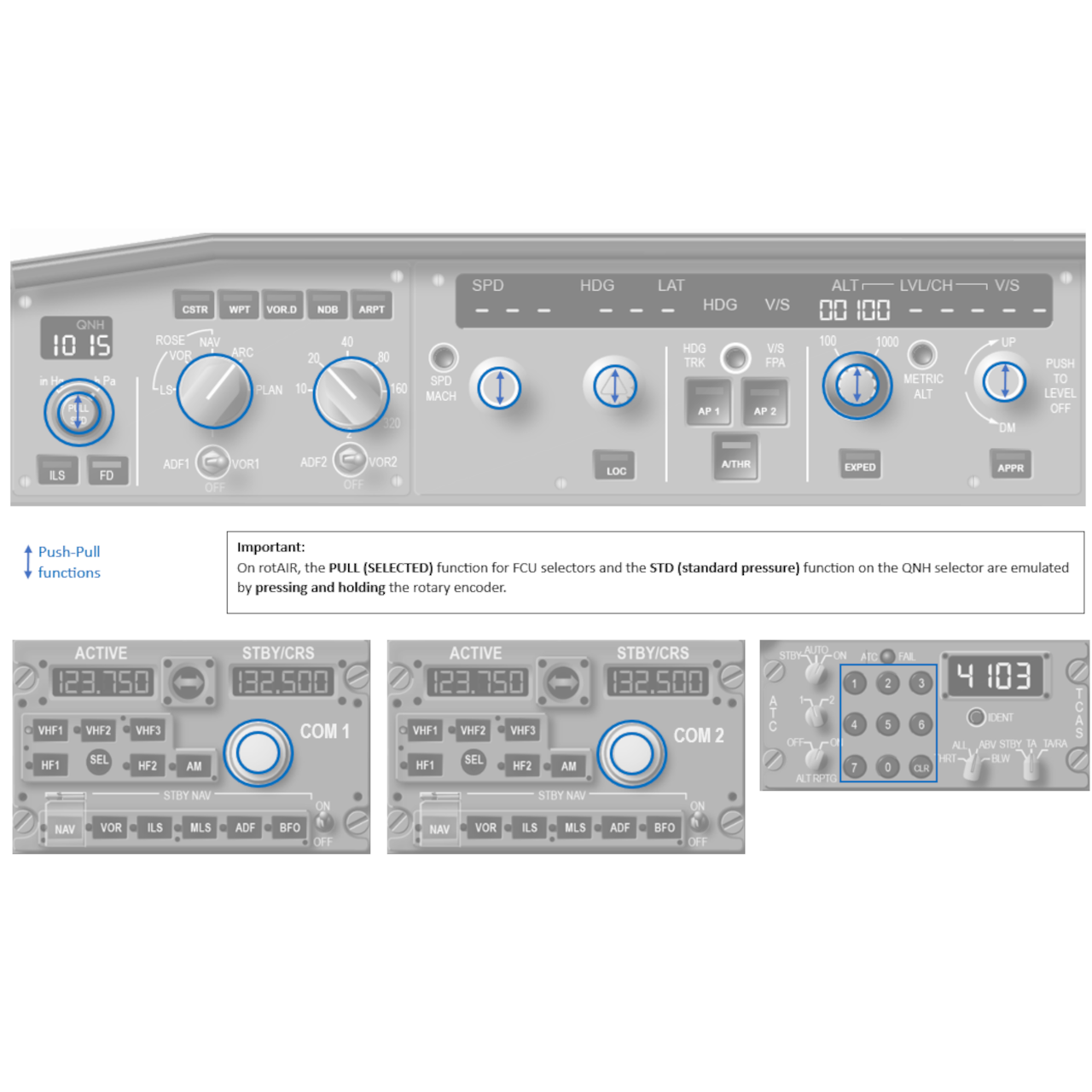
On rotAIR, the PULL (SELECTED) function for FCU selectors and the STD function on the QNH selector are emulated by pressing and holding the rotary encoder.
All rotary controls of the rotAIR modules — including the rear ALT and QNH rotary encoders — are reassigned to match Airbus A320 logic, covering:
- FCU (Flight Control Unit):
- SPD
- HDG
- ALT (including 100 / 1000 ft selector)
- V/S
- Left EFIS (Electronic Flight Instrument System):
- QNH (including inHG / hPa selector)
- ND mode
- ND range
- COM1:
- Integer frequency
- Decimal frequency
- COM2:
- Integer frequency
- Decimal frequency
- XPDR
- Squawk code
This makes the rotAIR a compact and versatile A320 FCU & EFIS & COM1-2 & TRANSPONDER hardware solution without the need for multiple dedicated panels.
Q: Are the A32 front panels backlit like the standard rotAIR panels?
A: Yes. The A32 front panels are fully backlit, ensuring clear visibility in all lighting conditions, just like the standard rotAIR panels.
Q: How easy is it to switch from the standard GA panels to the A32 panels?
A: Users can replace the standard GA front panels with the A32 front panels in less than 2 minutes, with minimal effort. The required Allen key is included.
Q: Are the A32 front panels included with the rotAIR?
A: No. The rotAIR is delivered by default with horizontal GA (General Aviation) panels. The A32 front panels are sold separately as an optional accessory.
Q: Which Airbus A320 controls can be operated using the rotAIR Front Panel A32?
A: The A32 front panels reassign the rotAIR rotary dual-encoders to control the main Airbus A320 functions, including:
- FCU (Flight Control Unit):
- SPD
- HDG
- ALT (including 100 / 1000 ft selector)
- V/S
- Left EFIS (Electronic Flight Instrument System):
- QNH (including inHG / hPa selector)
- ND mode
- ND range
- COM1:
- Integer frequency
- Decimal frequency
- COM2:
- Integer frequency
- Decimal frequency
- XPDR
- Squawk code
Important:
On rotAIR, the PULL (SELECTED) function for FCU selectors and the STD function on the QNH selector are emulated by pressing and holding the rotary encoder.
Q: Can the rotAIR selectors be physically pulled to emulate the Airbus SELECTED function?
A: No. The rotAIR encoders do not include a physical pull mechanism.
However, the SELECTED mode is fully supported through a timed press logic, designed to replicate Airbus operation:
- Short press (click): activates MANAGED mode
- Long press (press and hold for more than 1.5 seconds): activates SELECTED mode
Q: Which aircraft and simulators is the rotAIR Front Panel A32 compatible with?
A: Using standard configuration tools such as SPAD.neXt, Axis & Ohs, Air Manager, or the native mapping menus in X-Plane, MSFS the A32 front panels can be adapted to any Airbus A320 simulator aircraft.
For Fenix A320 (MSFS), SimFlight Services provides the rotAIRmonitorA32 plugin, enabling direct integration with no manual configuration required.
Airbus A320 Family
- Fenix A320 (MSFS)
Native integration via rotAIRmonitor32, a free plugin by SimFlight Services (automatic mapping, no manual configuration required). - Other Airbus A320 aircraft (MSFS)
Compatible through external configuration tools:- SPAD.neXt
- Axis & Ohs
- Air Manager
- Airbus A320 aircraft (X-Plane)
Compatible through external configuration tools:- SPAD.neXt
- Air Manager